
Snapchat Solar System: Quick Answer
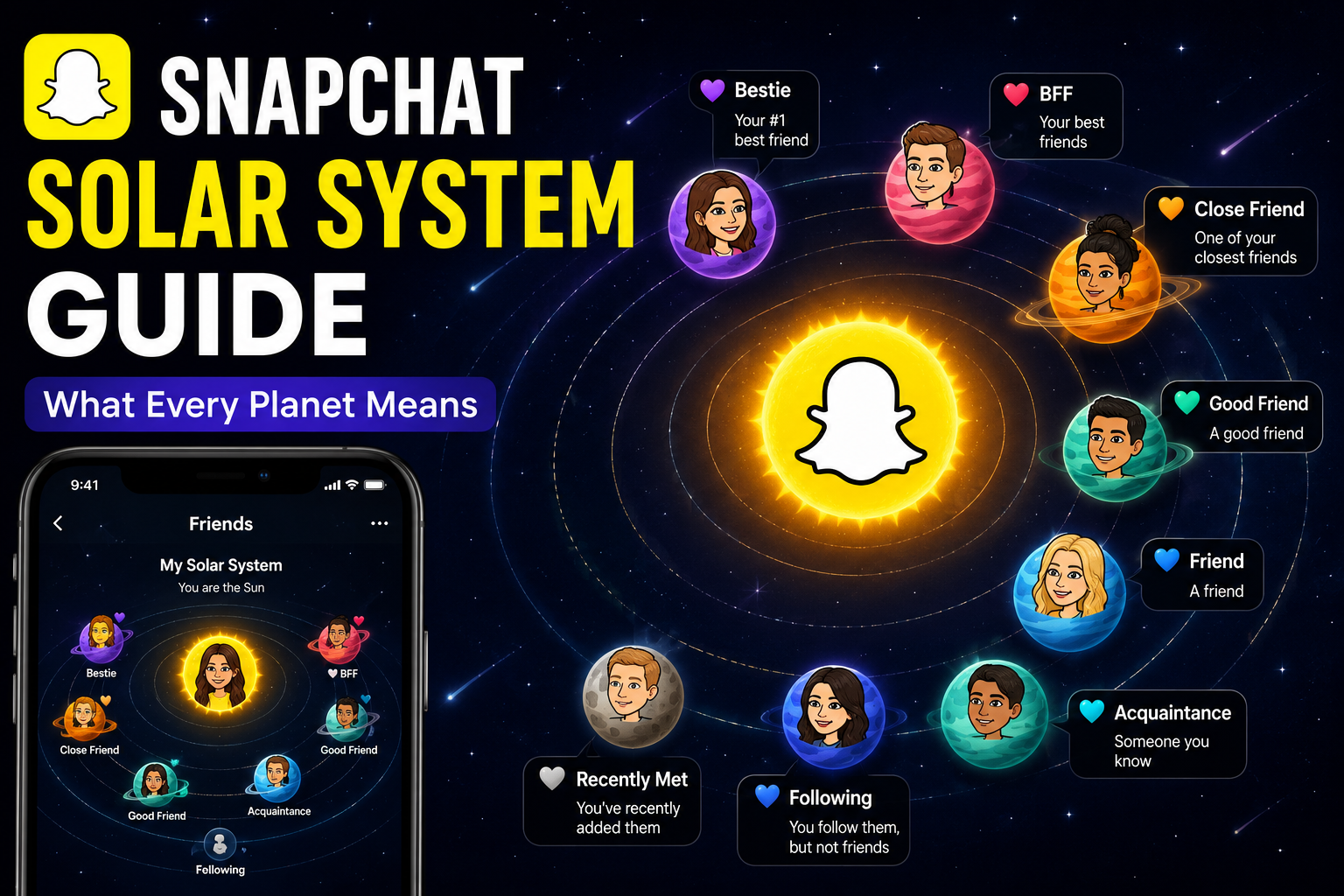
The Snapchat Solar System is an exclusive Snapchat+ feature that ranks your closest friends by planets in our solar system. If you are a #1 Best Friend, you will be represented by the planet Mercury, with other close friends represented by other planets depending on how close they are.
This will make it easier for Snapchat+ subscribers to see their friend rankings in a fun, planet-based system. If you know what each planet is, and why you move around, it will be easier to understand the Snapchat Solar System Guide.
What Is the Snapchat Solar System?
The Snapchat Solar System is a part of the Friend Solar System, which is available exclusively for Snapchat+ users.
Snapchat doesn’t show you just a regular Best Friends list; instead, it assigns you one of eight planets, which represents where you rank in another person’s “Best Friends” list.
The planets are arranged in the same order as the real solar system:
- Mercury
- Venus
- Earth
- Mars
- Jupiter
- Saturn
- Uranus
- Neptune
The closer your planet is to the Sun, the stronger your friendship ranking.
Unlike follower counts or public friend lists, these rankings are based on private interactions such as snaps, chats, streaks, and overall engagement.
How Does the Snapchat Solar System Work?
If both users have the Friend Solar System feature turned on via Snapchat+, the app will evaluate their interactions, and the more they interact, the more frequently they will be seen.If both users have the Friend Solar System feature activated via Snapchat+, the app will calculate how often they interact, and the more often they interact, the more often they will be seen.
Factors that may influence rankings include:
- Snaps sent and received
- Chat activity
- Snap Streaks
- Story interactions
- Overall communication frequency
Those who are the closest friend of the person will be Mercury and their 8th closest friend will be Neptune.
Interactions can change over time, so your planet assignment could change as well.
Who Can Use the Snapchat Solar System?
The Snapchat Solar System is not available in the free version of Snapchat.
To access it, users must subscribe to Snapchat+, the premium subscription service that includes additional features such as:
- Friend Solar System
- Story Rewatch Indicator
- Custom App Icons
- Ghost Trails (selected regions)
- Priority Story Replies
- Experimental features
You can activate the Friend Solar System through your Snapchat+ settings after purchasing a subscription.
Snapchat Solar System Guide: Planet Meanings
Understanding the Snapchat Solar System Guide becomes much easier once you know what each planet represents.
Mercury
Mercury means you’re someone’s #1 Best Friend. You exchange snaps and messages more frequently than anyone else.
Venus
Venus represents the second closest friend. Your interactions remain very frequent, although another friend ranks slightly higher.
Earth
Earth indicates you’re the third closest friend in someone’s Snapchat Solar System. Regular chats and streaks usually keep users in this position.
Mars
Mars represents the fourth closest friendship. You still communicate often, but less frequently than the top three friends.
Jupiter
Jupiter means you’re the fifth closest friend in another user’s Friend Solar System. You interact regularly, but your communication isn’t as frequent as with their top four friends.
Saturn
Saturn represents the sixth closest friendship. While you still exchange snaps and messages, your overall activity is lower than friends ranked above you.
Uranus
If you’re assigned Uranus, you’re the seventh closest friend. Occasional conversations, streaks, or story interactions usually keep you in this position.
Neptune
Neptune is the eighth and final planet in the Snapchat Solar System. It means you’re still one of that person’s Best Friends, but your interaction level is the lowest among the top eight.
How to View Your Friend Solar System
If you’re a Snapchat+ subscriber, checking your Friend Solar System is simple.
Follow these steps:
- Open Snapchat.
- Go to your friend’s profile.
- Look for the Best Friends or Friends badge.
- Tap the badge.
- Your planet will appear, showing your friendship ranking.
Keep in mind that if the badge doesn’t appear, either the feature is disabled or one of the users doesn’t have Snapchat+.
Can You Disable the Snapchat Solar System?
Yes. Snapchat allows users to disable the Friend Solar System if they prefer not to see friendship rankings.
To turn it off:
- Open your Snapchat profile.
- Tap Snapchat+.
- Locate Friend Solar System.
- Toggle the feature off.
Disabling the feature doesn’t affect your friendships—it only hides the planetary ranking system.
Common Questions About Snapchat+
Is the Snapchat Solar System available for everyone?
No. The Snapchat Solar System is exclusive to Snapchat+ subscribers.
Does Mercury always mean my best friend?
Yes. Mercury represents your position as someone’s #1 Best Friend, based on your interaction level.
Can my planet change?
Absolutely. Your ranking updates automatically as your snap activity, chats, and streaks change over time.
Is the Friend Solar System public?
No. Only eligible Snapchat+ users can view the Friend Solar System, and it isn’t publicly displayed to everyone.
Final Verdict
The Snapchat Solar System is one of the most popular features included with Snapchat+, giving users a creative way to visualize their closest friendships. By following this Snapchat Solar System Guide, it’s easy to understand what each planet means and why your ranking may change as your interactions evolve.
Whether you’re Mercury as someone’s closest friend or Neptune among their top eight, the system is simply a fun representation of activity—not a permanent measure of friendship. For more technology guides, app tutorials, and trending digital features, visit the TechBizInsider homepage to stay updated with the latest tech insights.