
How to Use Meta AI: Quick Answer
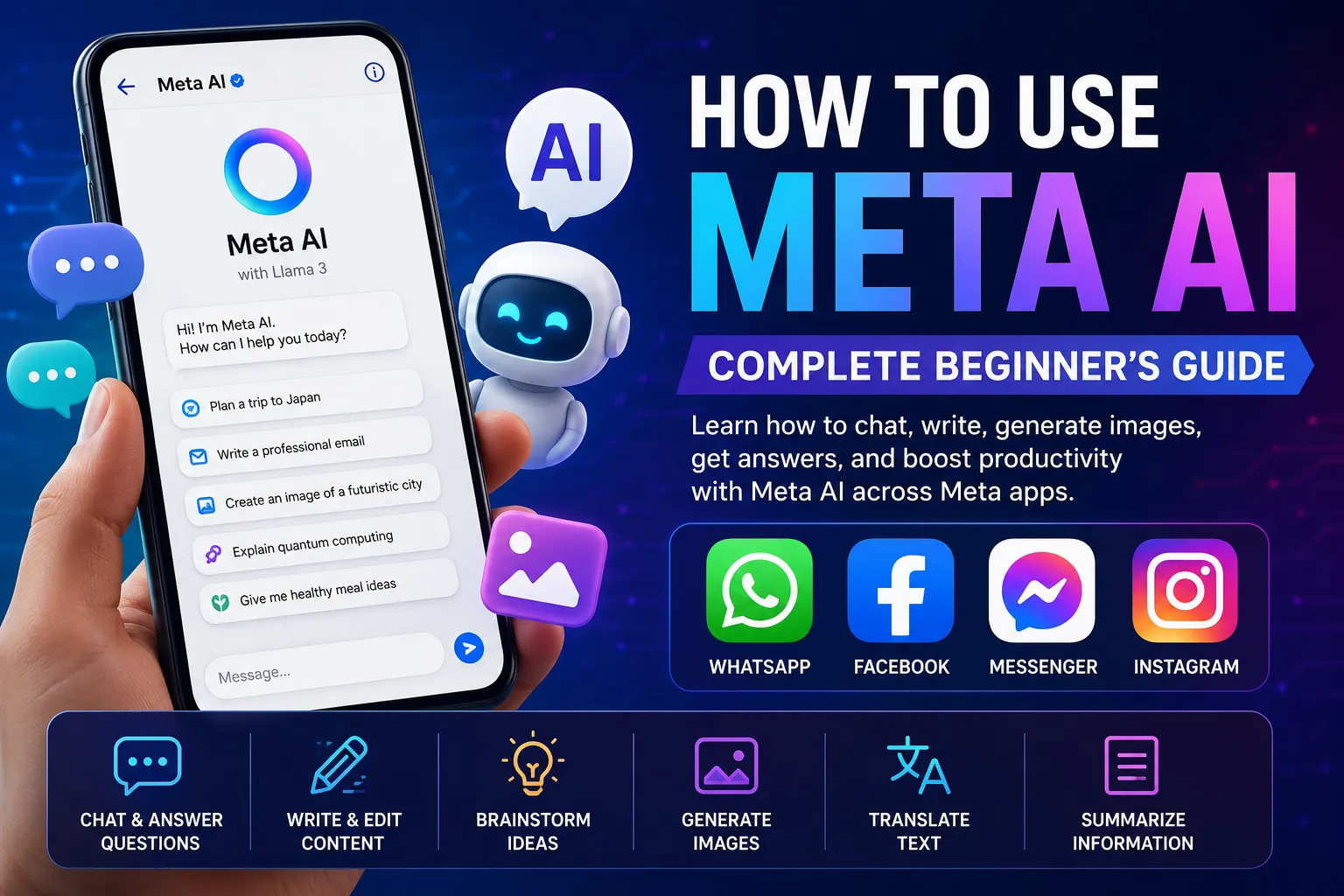
Meta AI is Meta’s AI-powered assistant that helps users answer questions, generate ideas, summarize information, write content, and create AI-generated images. Depending on your region and account, you can access Meta AI directly within WhatsApp, Facebook, Messenger, and Instagram.
Using Meta AI is simple:
- Open a supported Meta app.
- Start a chat with Meta AI or tap the AI icon (if available).
- Type your question or prompt.
- Review the response.
- Continue the conversation with follow-up prompts.
The exact experience may vary depending on the app and the features available in your country.
What Is Meta AI?
Meta AI is an artificial intelligence assistant developed by Meta, the company behind Facebook, Instagram, WhatsApp, and Messenger.
It’s powered by Meta’s large language models and is designed to help users complete everyday tasks, including:
- Answering questions
- Explaining complex topics
- Writing emails and messages
- Brainstorming ideas
- Translating text
- Summarizing information
- Generating AI images (where available)
- Providing recommendations
Instead of switching between multiple apps or websites, you can interact with Meta AI directly inside supported Meta platforms.
Where Can You Use Meta AI?
Meta AI is gradually being rolled out across several Meta products.
Many users can chat with Meta AI directly in WhatsApp through a dedicated AI chat or by mentioning @Meta AI in supported conversations.
You can ask it to:
- Answer questions
- Write messages
- Generate ideas
- Explain topics
- Help with planning
Meta AI can assist with searches, recommendations, and conversations within Facebook. Availability depends on your region and account.
Messenger
Messenger users may be able to start conversations with Meta AI for writing assistance, brainstorming, travel planning, and general questions.
Meta AI is also expanding to Instagram, allowing users to ask questions and receive AI-powered assistance while chatting.
Because Meta releases new AI features gradually, some accounts may receive access before others.
How to Use Meta AI
Using Meta AI is straightforward, even if you’ve never used an AI assistant before.
Step 1: Open a Supported App
Launch WhatsApp, Facebook, Messenger, or Instagram and make sure you’re using the latest version of the app.
Step 2: Find Meta AI
Depending on the platform, you may see:
- A Meta AI icon
- A dedicated AI chat
- A search option powered by AI
- The ability to mention @Meta AI in supported chats
If you don’t see these options, the feature may not yet be available for your account or region.
Step 3: Enter Your Prompt
Type a clear question or request, such as:
- “Explain quantum computing in simple terms.”
- “Plan a three-day trip to Tokyo.”
- “Write a professional email.”
- “Give me healthy dinner ideas.”
The more specific your prompt is, the more useful the response is likely to be.
Step 4: Review the Response
Meta AI typically responds within seconds. You can read the answer, ask follow-up questions, or request revisions if you need more detail or a different style.
Step 5: Continue the Conversation
Unlike a traditional search engine, Meta AI supports ongoing conversations. It remembers the context of your recent prompts, allowing you to refine ideas or ask additional questions naturally.
What Can You Do with Meta AI?
Meta AI is designed to help with a wide variety of everyday tasks. Whether you’re working, studying, or simply looking for quick answers, it can assist in several ways.
Answer Questions
You can ask Meta AI about:
- General knowledge
- Science and technology
- History
- Health and wellness (for general information)
- Travel recommendations
- Recipes
- Sports
- Entertainment
Like any AI assistant, it’s a good idea to verify important information from official or authoritative sources, especially for legal, financial, or medical topics.
Write and Edit Content
Meta AI can help you:
- Draft emails
- Write social media captions
- Summarize articles
- Rewrite paragraphs
- Generate blog ideas
- Improve grammar
- Translate text
It’s a useful writing assistant for both personal and professional tasks.
Brainstorm Ideas
Need inspiration? Meta AI can help generate ideas for:
- Business names
- Marketing campaigns
- Product descriptions
- Content calendars
- Gift suggestions
- Travel itineraries
- Event planning
Generate AI Images
In regions where image generation is available, Meta AI can create images from text prompts.
For example, you might ask:
- “Create a futuristic city at sunset.”
- “Design a cozy mountain cabin in winter.”
- “Illustrate a robot reading a book.”
The quality and available styles may vary depending on the platform and current features.
Learn New Topics
Meta AI can explain complex concepts in simple language, making it useful for students and lifelong learners.
For example, you can ask it to explain:
- Artificial intelligence
- Climate change
- Blockchain
- Coding basics
- Mathematics
- Economics
You can also request explanations tailored to different skill levels.
Tips for Writing Better Prompts
The quality of Meta AI’s responses often depends on how you phrase your request.
Be Specific
Instead of asking:
“Tell me about marketing.”
Try:
“Explain digital marketing strategies for a small online clothing store.”
Specific prompts usually produce more relevant and detailed responses.
Provide Context
Adding background information helps Meta AI understand your goal.
For example:
“I’m preparing a presentation for college students. Explain blockchain in simple terms.”
This allows the AI to adjust its response to your audience.
Request a Format
You can ask Meta AI to structure its response in different ways, such as:
- Bullet points
- Step-by-step instructions
- Tables
- Checklists
- Summaries
- Professional emails
This saves time and makes the output easier to use.
Refine Your Prompt
If the first response isn’t exactly what you need, ask follow-up questions or request changes.
Examples include:
- “Make it shorter.”
- “Explain this in simpler language.”
- “Add more examples.”
- “Write it in a professional tone.”
Because Meta AI supports conversational interactions, refining your prompts often leads to better results.
Why Can’t I Access Meta AI?
If you don’t see Meta AI in WhatsApp, Facebook, Messenger, or Instagram, don’t worry. There are several common reasons why the feature may not be available yet.
1. It’s Not Available in Your Region
Meta AI is being rolled out gradually, so availability varies by country. Some regions receive new AI features before others.
2. Your App Needs Updating
Older versions of WhatsApp, Facebook, Messenger, or Instagram may not include the latest Meta AI features.
To check:
- Open your device’s app store.
- Search for the app.
- Install any available updates.
- Restart the app after updating.
3. The Feature Is Rolling Out in Stages
Meta often releases new features to users over time rather than all at once. Even if someone else has Meta AI, you may need to wait until it’s enabled for your account.
4. Your Account Isn’t Eligible Yet
Some AI features are available only to selected users during testing or phased rollouts. This can happen even if you’re using the latest app version.
Best Practices for Using Meta AI
To get the most helpful responses, follow these simple tips:
- Ask clear, specific questions.
- Provide enough context for your request.
- Double-check important facts from trusted sources.
- Avoid sharing sensitive personal or financial information.
- Use follow-up prompts to refine answers.
- Experiment with different prompt styles to improve results.
Treat Meta AI as a productivity assistant rather than a replacement for professional advice in areas such as healthcare, law, or finance.
Frequently Asked Questions
1. Is Meta AI free to use?
Yes. Meta AI is available at no additional cost within supported Meta apps, although availability and features may vary by region.
2. Which apps support Meta AI?
Depending on your location, Meta AI may be available in:
- Messenger
Meta continues expanding support across its platforms.
3. Can Meta AI generate images?
Yes, in supported regions and apps, Meta AI can generate images from text prompts. Availability depends on your account and the specific platform you’re using.
4. Why don’t I have Meta AI yet?
Possible reasons include regional availability, phased rollout, an outdated app version, or your account not yet being included in the release.
5. Can Meta AI answer any question?
Meta AI can answer a wide variety of questions, but it may occasionally make mistakes or provide incomplete information. Always verify critical information using authoritative sources.
6. Is Meta AI safe to use?
Meta AI is generally designed for everyday assistance. However, avoid sharing confidential information such as passwords, banking details, or sensitive personal data in AI conversations.
7. Can I use Meta AI for work?
Yes. Many people use Meta AI to draft emails, brainstorm ideas, summarize information, create content outlines, and improve productivity.
8. Does Meta AI remember previous conversations?
Meta AI can maintain context within an active conversation, but how conversation history is stored or used depends on the app, your settings, and Meta’s current privacy policies.
Final Thoughts
Meta AI makes artificial intelligence more accessible by bringing it directly into apps millions of people already use every day. Whether you need help writing, brainstorming ideas, learning something new, or generating creative content, it offers a convenient way to complete tasks without leaving WhatsApp, Facebook, Messenger, or Instagram.
As Meta continues expanding its AI features, users can expect more capabilities and broader availability. If you don’t have access yet, keeping your apps updated and checking periodically is the best way to stay ready for future releases.