OpenDream AI: Quick Answer
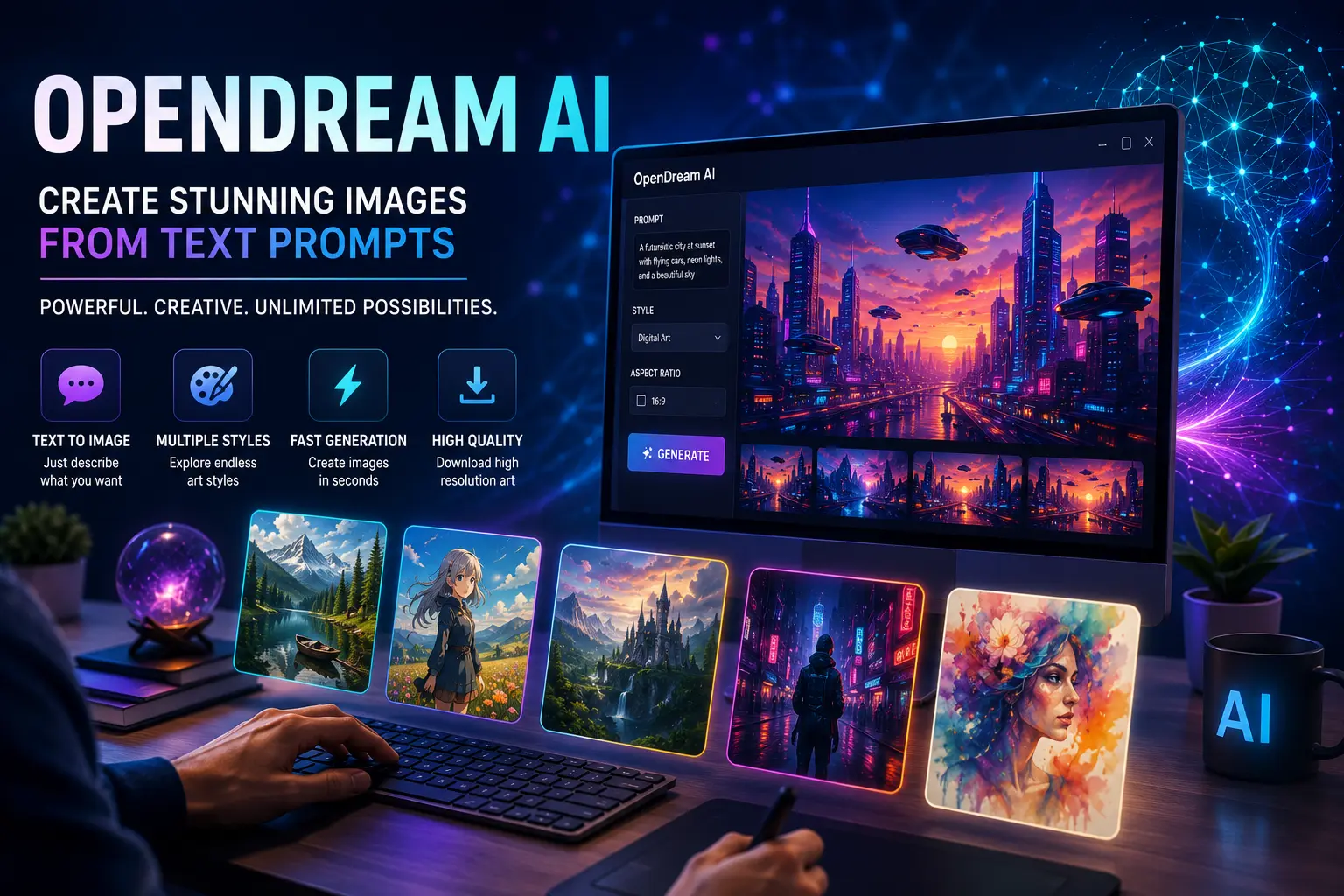
OpenDream AI is an AI-powered image generation platform that creates artwork from text prompts. Users simply describe the image they want, and the AI generates original visuals in a variety of artistic styles. It’s used by designers, marketers, content creators, game developers, and hobbyists who want to produce digital artwork without advanced graphic design skills.
What Is OpenDream AI?
OpenDream AI is a text-to-image generator that uses artificial intelligence to convert written prompts into digital artwork. Instead of drawing manually, users describe a scene, object, or concept, and the platform produces an AI-generated image within seconds.
It supports a wide range of creative styles, including:
- Realistic photography
- Digital paintings
- Fantasy art
- Anime-inspired illustrations
- Concept art
- Cyberpunk designs
- Watercolor effects
Because the platform focuses on ease of use, beginners can start generating images quickly while experienced creators can refine prompts for more detailed results.
How Does OpenDream AI Work?
The image generation process is straightforward.
First, you enter a descriptive text prompt explaining what you want to create. The AI analyzes the prompt using deep learning models trained on large image datasets and then generates an original image based on your description.
A typical workflow looks like this:
- Enter a text prompt.
- Select an image style or model.
- Adjust optional settings such as aspect ratio or quality.
- Generate the artwork.
- Review the results and refine the prompt if needed.
- Download or share the finished image.
The quality of the final image often depends on how clear and detailed the prompt is.
Key Features of OpenDream AI
OpenDream AI includes several features that make it appealing to both casual users and creative professionals.
Text-to-Image Generation
The platform’s primary feature allows users to generate completely new images from written descriptions.
Whether you’re creating a product concept, a fantasy landscape, or social media artwork, the AI transforms ideas into visuals within a short time.
Multiple Art Styles
Users can experiment with different artistic styles without needing separate software.
Common styles include:
- Realistic
- Fantasy
- Anime
- Oil painting
- Sketch
- Watercolor
- Science fiction
This flexibility makes the platform useful for many creative projects.
Prompt Customization
More detailed prompts generally produce more accurate results.
For example, instead of writing:
“Mountain”
A better prompt might be:
“Snow-covered mountain at sunrise with a crystal-clear lake reflecting golden light, ultra-detailed digital art.”
Adding descriptive elements helps the AI understand the desired composition, lighting, colors, and mood.
Fast Image Generation
Most images are generated within seconds, allowing users to experiment with different prompts without long waiting times.
This rapid workflow is particularly useful for brainstorming, concept development, and content creation.
User-Friendly Interface
OpenDream AI is designed with simplicity in mind.
Even users with no experience in AI art or graphic design can create impressive images using only text prompts and a few customization options.
Is OpenDream AI Free?
OpenDream AI typically offers a free way for new users to explore the platform, while additional features, faster generation speeds, higher limits, or premium models may be available through paid plans.
Available plans and pricing can change over time, so it’s always a good idea to review the official pricing page before subscribing.
If you’re exploring AI tools for content creation, check out our guide to Best Free AI Writing Tools 2026 for additional productivity resources.
Pros and Cons of OpenDream AI
Like any AI image generator, OpenDream AI has strengths and limitations. Understanding both can help you decide whether it’s the right tool for your creative workflow.
Pros
- Beginner-friendly interface
- Fast text-to-image generation
- Supports multiple artistic styles
- No advanced design skills required
- Useful for brainstorming creative ideas
- Suitable for social media graphics, concept art, and digital illustrations
- Regular improvements and new AI models
Cons
- Image quality may vary depending on the prompt
- Some advanced features may require a paid plan
- Complex scenes can require multiple prompt revisions
- AI-generated images may occasionally include visual inconsistencies
Overall, the platform provides a solid balance between accessibility and creative flexibility.
OpenDream AI vs. Midjourney vs. DALL·E
Choosing the right AI image generator depends on your goals, experience level, and preferred art style.
Feature | OpenDream AI | Midjourney | DALL·E |
Text-to-Image Generation | ✔ | ✔ | ✔ |
Beginner Friendly | ⭐⭐⭐⭐⭐ | ⭐⭐⭐ | ⭐⭐⭐⭐⭐ |
Style Variety | Excellent | Excellent | Excellent |
Prompt Customization | ✔ | ✔ | ✔ |
Realistic Images | Very Good | Excellent | Excellent |
Artistic Images | Excellent | Excellent | Very Good |
Web-Based Access | ✔ | Limited workflows | ✔ |
Commercial Options | Depends on plan | Depends on subscription | Depends on plan |
Each platform has its own strengths:
- OpenDream AI is well suited for beginners who want an easy-to-use web interface.
- Midjourney is widely recognized for highly artistic and cinematic image generation.
- DALL·E excels at following detailed prompts and creating creative, versatile images.
The best choice depends on your specific workflow and creative needs.
Best Use Cases for OpenDream AI
OpenDream AI can support a wide range of creative and professional projects.
Popular use cases include:
Digital Artwork
Artists can generate inspiration, concept sketches, or complete illustrations from simple text prompts.
Blog Featured Images
Content creators can produce unique visuals for articles, tutorials, and websites without relying solely on stock photography.
Social Media Graphics
Businesses and influencers can quickly create eye-catching visuals for platforms like Instagram, Facebook, LinkedIn, Pinterest, and X.
Marketing Materials
Design promotional banners, advertisements, presentation graphics, and product mockups using descriptive prompts.
Game and Story Concepts
Writers and game developers often use AI-generated artwork to visualize characters, environments, and fantasy worlds during early project planning.
Tips for Writing Better AI Prompts
The quality of AI-generated artwork depends heavily on the prompt you provide.
Here are a few practical tips:
- Describe the subject clearly.
- Mention the art style (realistic, watercolor, anime, etc.).
- Include lighting conditions.
- Specify colors or mood.
- Add camera angles when appropriate.
- Mention image quality (high detail, ultra-realistic, cinematic).
- Keep refining prompts based on previous results.
The more descriptive your prompt, the more likely you’ll receive an image that matches your vision.
Frequently Asked Questions
1. What is OpenDream AI?
OpenDream AI is an artificial intelligence platform that generates original images from written text prompts.
2. Is OpenDream AI free?
The platform typically offers free access for new users, while premium plans may provide additional features, faster generation, or higher usage limits.
3. Can beginners use OpenDream AI?
Yes. Its straightforward interface makes it accessible to users with little or no graphic design experience.
4. What types of images can OpenDream AI create?
It can generate realistic scenes, fantasy artwork, anime-style illustrations, concept art, digital paintings, landscapes, character designs, and more.
5. Is OpenDream AI suitable for commercial projects?
Commercial usage depends on the platform’s current licensing terms and the subscription plan you choose. Always review the official licensing information before using generated images commercially.
6. How can I improve image quality?
Writing detailed prompts, specifying artistic styles, and refining your descriptions usually leads to better results.
7. Is OpenDream AI better than Midjourney?
Neither platform is universally better. OpenDream AI focuses on ease of use, while Midjourney is particularly popular for highly artistic and stylized creations.
8. Does OpenDream AI require installation?
No. It operates through a web interface, allowing users to create images directly from a supported browser.
Conclusion
OpenDream AI makes AI-powered image creation accessible to beginners and experienced creators alike. With its intuitive interface, diverse artistic styles, and fast image generation, it’s a practical tool for creating blog graphics, marketing visuals, concept art, and social media content.
If you’re exploring AI image generators, OpenDream AI is worth considering alongside other established platforms. Experimenting with different prompts and styles will help you discover which tool best matches your creative goals.