
Maryland Business Entity Search: Quick Answer
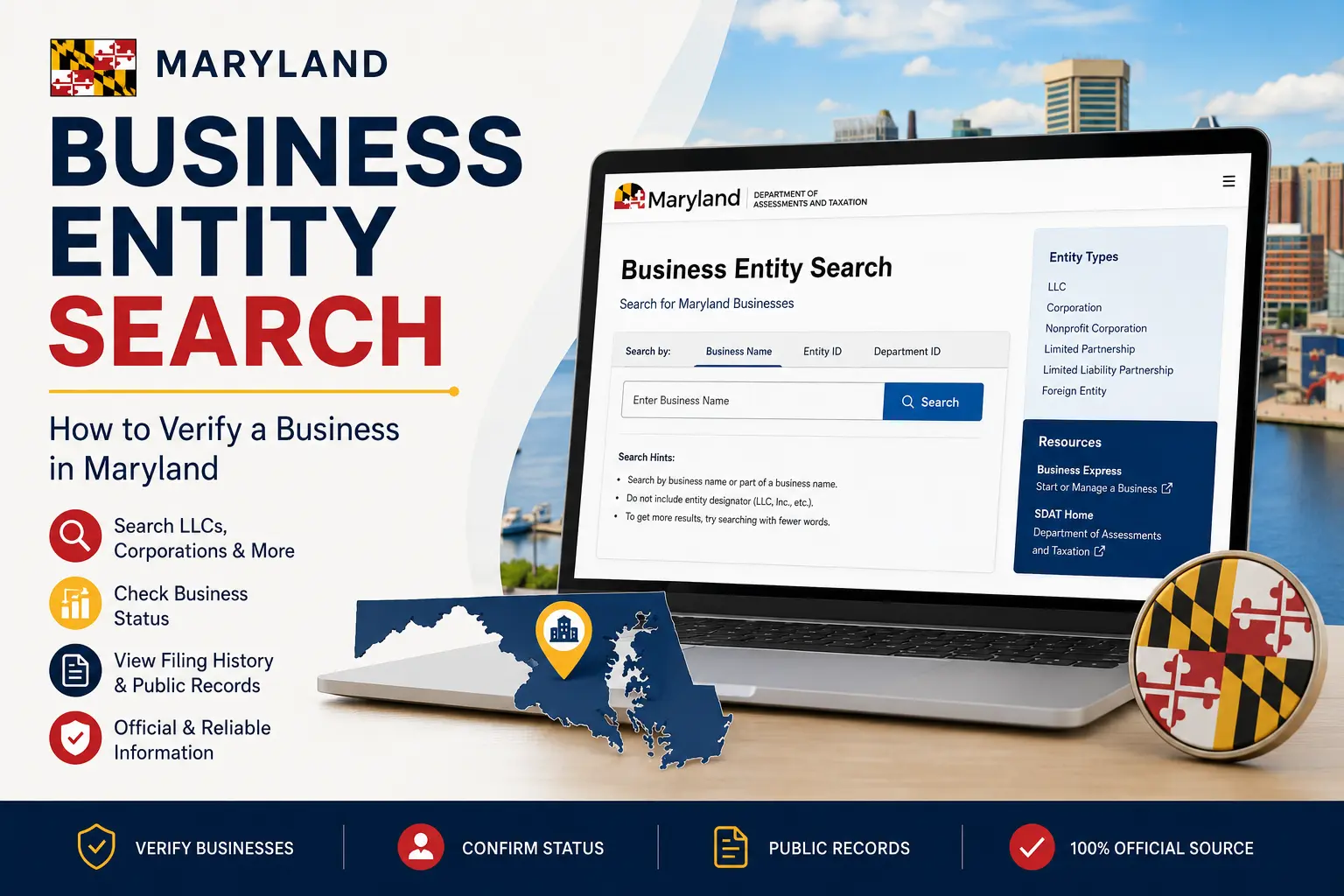
The Maryland Business Entity Search is a free online tool provided by the Maryland Department of Assessments and Taxation (SDAT). It allows you to search for registered LLCs, corporations, nonprofits, and other business entities, verify their legal status, review public records, and check whether a business name is already in use before registering a new company.
What Is the Maryland Business Entity Search?
The Maryland Business Entity Search is an official online database that provides public information about businesses registered in the state of Maryland.
Whether you’re starting a new business, verifying a company’s legal status, or researching a potential partner, this tool gives you access to reliable records maintained by the state.
The database includes several types of business entities, including:
- Limited Liability Companies (LLCs)
- Corporations
- Nonprofit organizations
- Limited Partnerships (LPs)
- Limited Liability Partnerships (LLPs)
- Foreign entities registered to operate in Maryland
Because the information comes directly from the Maryland Department of Assessments and Taxation, it is generally more accurate than unofficial business directories.
Why Use the Maryland Business Entity Search?
The search tool is valuable for entrepreneurs, business owners, investors, legal professionals, and consumers who need to verify public business information.
Common reasons for using the database include:
- Checking whether a business name is available
- Confirming a company’s legal status
- Verifying an LLC or corporation
- Finding a registered agent
- Reviewing filing history
- Researching competitors
- Confirming business registration before signing agreements
Using official records helps you make informed business decisions and reduces the risk of working with unverified companies.
How to Use the Maryland Business Entity Search
The search process is straightforward and only takes a few minutes.
Step 1: Visit the Official Search Tool
Go to the official Maryland Business Entity Search provided by the Maryland Department of Assessments and Taxation.
The search portal is available online and can be accessed without creating an account.
Step 2: Search by Business Name or Entity ID
The search tool allows you to look up businesses using different types of information.
You can usually search by:
- Business name
- Entity ID
- Department ID
- Partial business name
Searching by business name is the easiest option for most users. If you’re unsure of the exact spelling, try entering only the first few words of the company name.
Step 3: Review the Search Results
After submitting your search, you’ll see a list of businesses that match your query.
If multiple companies have similar names, compare the available details carefully to identify the correct business.
Pay attention to the entity type and current status before selecting a record.
Step 4: Open the Business Record
Selecting a business opens a detailed public record.
Depending on the entity, you may find information such as:
- Official business name
- Entity ID
- Business type
- Current status
- Date of formation
- Registered agent
- Principal office address
- Filing history
These details can help you confirm whether a business is active and properly registered in Maryland.
What Information Can You Find?
The Maryland Business Entity Search provides several important details that help users verify a business.
Business Name
The database displays the official legal name of the registered entity.
This helps ensure you’re reviewing the correct business, especially when similar names exist.
Entity Type
Each record identifies how the business is legally organized.
Common entity types include:
- LLC
- Corporation
- Nonprofit Corporation
- Limited Partnership
- Limited Liability Partnership
Understanding the entity type can be helpful when evaluating a company’s legal structure.
Business Status
One of the most useful pieces of information is the current business status.
Some common statuses include:
Status | Meaning |
Active | The business is currently registered and authorized to operate. |
Forfeited | The business has lost its good standing due to unmet state requirements. |
Dissolved | The business has officially ended its legal existence. |
Revived | A previously inactive business has been restored to active status. |
Reviewing the status gives you a quick overview of a company’s current standing with the state.
Registered Agent
Most Maryland businesses are required to maintain a registered agent who receives legal notices and official correspondence.
Business records often include:
- Registered agent’s name
- Registered office address
This information is publicly available and can be useful for legal or administrative purposes.
Filing History
Many records also provide access to filing history.
Depending on the entity, you may see:
- Annual reports
- Amendments
- Name changes
- Reinstatements
- Other official filings
Reviewing this history can provide insight into a company’s compliance and significant changes over time.
Is the Maryland Business Entity Search Free?
Yes.
The Maryland Business Entity Search is free to use and available to anyone with internet access.
You can search public business records without paying a fee or creating an account.
However, if you need certified documents, certificates of status, or copies of official filings, additional fees may apply through the Maryland Department of Assessments and Taxation.
Is the Information Reliable?
Yes. The information displayed in the Maryland Business Entity Search comes directly from the state’s official business records.
Although the database is updated regularly, recently filed documents or newly registered businesses may not appear immediately. If you cannot find a recent filing, check again after some time or verify the information through the official Maryland Business Express website.
How to Check Business Name Availability in Maryland
If you’re planning to start a business, checking name availability should be one of your first steps.
The Maryland Business Entity Search lets you see whether your preferred business name is already being used by another registered entity. Simply enter the desired name into the search tool and review the results.
Keep in mind that even if no exact match appears, your proposed name may still be rejected if it’s too similar to an existing business. The Maryland Department of Assessments and Taxation makes the final determination when reviewing new business filings.
To improve your chances of approval, prepare several alternative business names before submitting your registration.
Common Search Problems and How to Fix Them
If you can’t find the business you’re looking for, don’t assume it isn’t registered. Small search errors are common and usually easy to correct.
The Business Name Is Misspelled
Even a minor spelling mistake can prevent the correct record from appearing.
Double-check the spelling and try searching again.
You’re Using the Complete Business Name
Searching for the full legal name isn’t always necessary.
Instead, search using the first one or two distinctive words. This often returns better results, especially if you’re unsure about abbreviations or punctuation.
The Business Was Recently Registered
New business filings may take some time to appear in the public database.
If a company was formed recently, wait a short period and perform another search.
The Business Is Registered in Another State
The Maryland Business Entity Search only includes businesses registered in Maryland or authorized to operate there.
If the company was formed in another state and hasn’t registered in Maryland, it won’t appear in the results.
Tips for Better Search Results
These simple tips can help you locate business records more efficiently:
- Search using only the main part of the business name.
- Avoid punctuation and special characters.
- Leave out words like LLC, Inc., or Corporation unless needed.
- Use the Entity ID if it’s available.
- Review multiple results if businesses have similar names.
Following these practices can save time and improve search accuracy.
Who Uses the Maryland Business Entity Search?
The database serves many different users.
Entrepreneurs
Business owners use it to check whether a business name is available before registering an LLC or corporation.
Investors
Investors often verify that a business is active before making financial commitments or partnerships.
Customers
Customers may confirm that a company is properly registered before making significant purchases or entering into service agreements.
Attorneys and Accountants
Legal and financial professionals regularly review business records when preparing documents, conducting due diligence, or advising clients.
Vendors and Suppliers
Suppliers may verify a company’s registration status before extending credit or beginning a long-term business relationship.
Best Practices When Verifying a Business
Don’t rely on a single piece of information.
Compare multiple details, including:
- Business name
- Entity type
- Business status
- Formation date
- Registered agent
- Filing history
Reviewing several data points helps ensure you’ve identified the correct business, especially when companies have similar names.
Frequently Asked Questions
1. What is the Maryland Business Entity Search?
The Maryland Business Entity Search is a free online database that lets users search public records for LLCs, corporations, nonprofits, and other registered business entities in Maryland.
2. Is the Maryland Business Entity Search free?
Yes. Anyone can search Maryland business records without paying a fee. However, official documents and certified copies may require payment.
3. Can I search for an LLC in Maryland?
Yes. The database includes LLCs, corporations, partnerships, nonprofits, and many foreign entities registered to do business in Maryland.
4. How do I know if a business is active?
Open the business record and review its current status. An Active status generally indicates that the business is registered and authorized to operate.
5. Can I search by owner’s name?
The Maryland Business Entity Search is primarily designed for searches by business name or Entity ID. Search options may vary depending on the available public records.
6. Does the search show the registered agent?
Yes. Many business records include the registered agent’s name and registered office address as part of the public information.
7. Can I reserve a business name through the search tool?
No. The search tool is only used to view business records. Reserving or registering a business name requires filing the appropriate documents with the Maryland Department of Assessments and Taxation.
8. Why can’t I find my business?
Your business may have been registered recently, the name may be misspelled, or the company may not be registered in Maryland.
9. Is the information official?
Yes. The records are maintained by the Maryland Department of Assessments and Taxation and are considered the official source for Maryland business registration information.
10. Can I use the Maryland Business Entity Search on my phone?
Yes. The search tool is accessible through most modern web browsers and works on smartphones, tablets, and desktop computers.
Conclusion
The Maryland Business Entity Search is a valuable resource for entrepreneurs, investors, legal professionals, and anyone who needs to verify a registered business in Maryland. Whether you’re checking business name availability, confirming a company’s legal status, or reviewing public filing records, the database provides reliable information directly from official state records.
For the most accurate and up-to-date information, always use the official Maryland Business Express or the Maryland Department of Assessments and Taxation website instead of relying on third-party directories. Taking a few minutes to verify a business can help you make better-informed decisions and avoid unnecessary risks.