Best Cleaning Business Software: Quick Answer
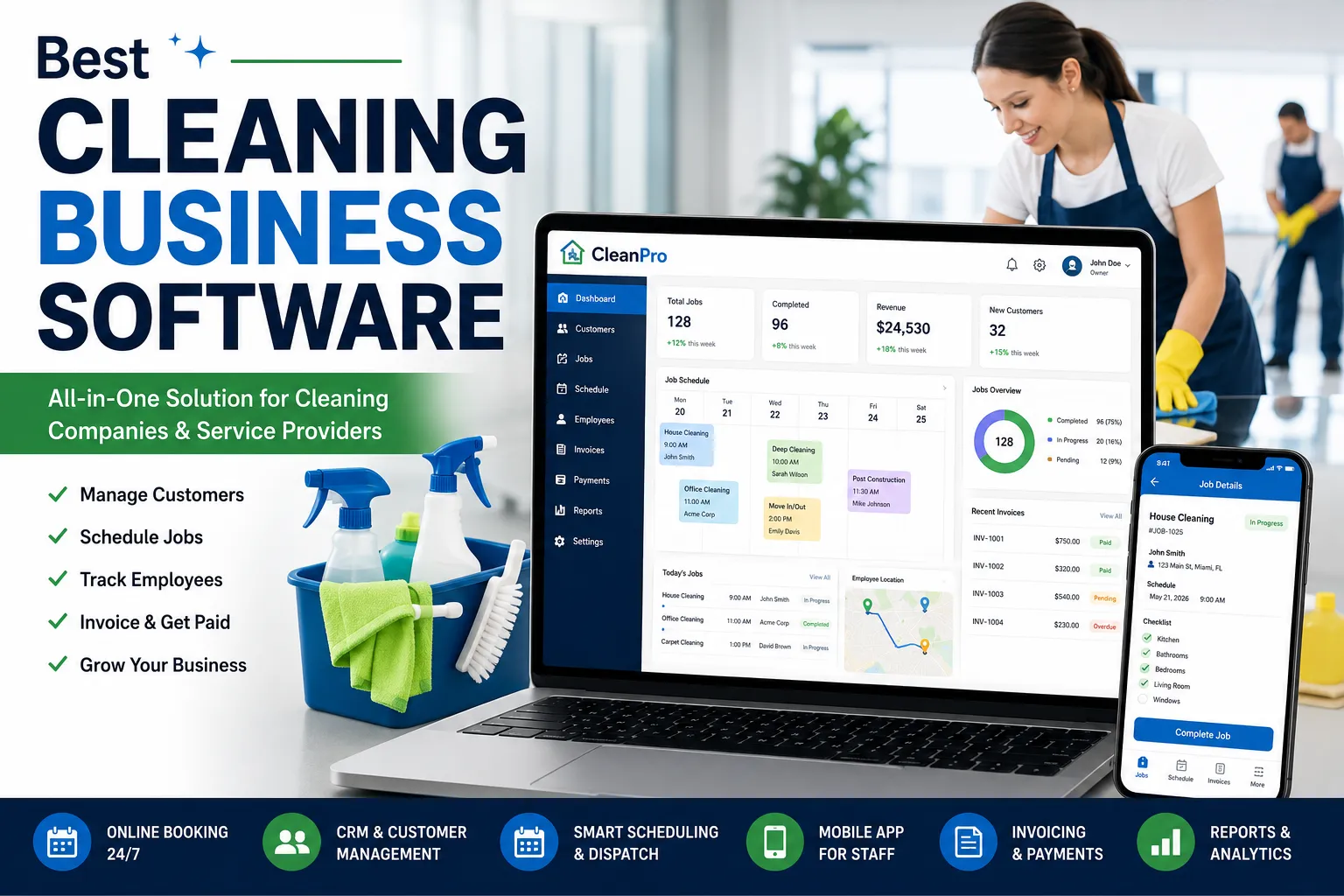
The ideal cleaning business software provides cleaning companies with scheduling and customer communication, invoicing and payments, employee dispatching, and recurring appointments, all in one place. From the residential cleaning business to the commercial janitorial service to running a carpet cleaning business, having the right software can streamline the day-to-day operations and boost customer satisfaction.
Today, cleaning company software may also feature mobile application, CRM, online booking, route optimization, automatic reminders and reporting dashboards. A lot of solutions also operate with accounting software and payment gateways which enable an even more efficient growth of a cleaning business.
If you want it all in one place though, you should opt for a solution that comes with a CRM for cleaning business, scheduling capabilities and mobile access.
What Is Cleaning Business Software?
Cleaning business software is a digital program developed to make the day to day operations of cleaning service providers easier.
These tasks can be automated across one system, rather than having to be performed by hand, including bookings, invoices, customer record management and employee schedules.
Typical users include:
- Residential cleaning companies
- Commercial cleaning contractors
- Janitorial businesses
- Window cleaning companies
- Pressure washing companies
- Carpet cleaning business software users
- Maid services
These platforms not only save companies a lot of administrative tasks, but they also help them deliver quicker and more professional customer services.
Why Cleaning Company Software Is Important
It becomes more difficult to manage customers as the cleaning business expands with the use of spreadsheets and phone calls.
Professional cleaning company software helps businesses:
- Schedule jobs automatically
- Track employee locations
- Send appointment reminders
- Create estimates and invoices
- Accept online payments
- Manage recurring clients
- Store customer history
- Improve team communication
Besides time saving, automation will decrease scheduling errors and lost appointments.
Interested in automation? Check out our guide on Droven.io AI Automation Tools to learn how AI is transforming service businesses.
CRM for Cleaning Business: Why It Matters
A robust CRM for cleaning business can help companies manage their customer data and foster ongoing relationships.
Rather than looking through notes or emails, staff can easily access all of the following:
- Customer contact details
- Property addresses
- Service history
- Cleaning preferences
- Notes from previous visits
- Outstanding invoices
- Upcoming appointments
Automated follow-up emails, review requests, and promotional campaigns are also features of many CRM systems, which can help cleaning businesses boost repeat bookings.
When it comes to software that can help businesses retain their customers, a robust CRM is one of the most important features to have.
Carpet Cleaning Business Software
Businesses that provide carpet and upholstery cleaning services may need more sophisticated features like scheduling and job management.
Typically, the best carpet cleaning business software contains:
- Technician dispatching
- Route optimization
- Before-and-after photo uploads
- Digital job reports
- Equipment tracking
- Invoice generation
- Online payments
- Customer reminders
These tools enable technicians to spend more of their time on customer service and less on paperwork.
Capterra reports that field service software has the potential to save considerable time in scheduling for service companies.
House Cleaning Software
For residential cleaning companies, choosing the right house cleaning software can make day-to-day operations much easier.
Home cleaning businesses often manage recurring appointments, multiple cleaners, and changing customer requests. A dedicated software platform helps organize everything in one place.
Popular features include:
- Online booking
- Recurring cleaning schedules
- Customer reminders
- Staff scheduling
- GPS technician tracking
- Digital invoices
- Secure payment processing
- Mobile access
A lot of house cleaning firms also have customer portals for clients to rearrange appointments, view invoices and interact straight with the business.
Application for Cleaning Services
Modern applications for cleaning services enable both business owners and onsite workers to remain connected while working away from the office.
Most mobile apps include:
- Job notifications
- Route navigation
- Clock-in and clock-out tracking
- Customer signatures
- Before-and-after photos
- Instant messaging
- Digital checklists
- Offline functionality
Cleaners can be kept up-to-date on jobs via a dedicated mobile application, without having to go back to the office.
Essential Features to Look For
Not every cleaning business software platform offers the same functionality.
Before making a decision, look for these essential features:
Online Booking
You should have the ability to book appointments on your website and mobile application without requiring to call your office.
Scheduling & Dispatching
Automatic scheduling eliminates manual scheduling tasks and helps technicians get the right jobs.
CRM Integration
A CRM system for cleaning companies can assist in maintaining individual and client details organized, boosting correspondence.
Estimates & Invoicing
Businesses can look more trustworthy and payments are quickened with professional estimates and invoices.
Payment Processing
Search for software that supports online credit card, ACH and digital wallet payments.
Reporting Dashboard
Detailed reports enable the business owner to keep track of revenue, employee productivity, customer retention, and business performance.
Best Cleaning Business Software Platforms
There are several different types of software that are popular among professional cleaning companies.
Some of the most popular options include:
Jobber
Jobber is a scheduling, CRM, invoicing, online booking and payment processing software for residential and commercial service companies.
Housecall Pro
Housecall Pro offers customer management, dispatch, estimates, invoicing and mobile workforce management.
ServiceTitan
ServiceTitan is optimized for larger field-service businesses where the need for advanced reporting, automation, and business management are expected.
mHelpDesk
mHelpDesk is a work order management, customer communication, scheduling and invoicing system that’s available for many cleaning business.
The best platform for you is dependent on your service offerings, business size and budget.
How to Choose the Right Cleaning Business Software
Choosing the best cleaning business software depends on your company’s size, services, and future growth plans.
Before investing in a platform, ask yourself the following questions:
- How many employees do I manage?
- Do I need residential or commercial scheduling?
- Will customers book services online?
- Do I require a built-in CRM for cleaning business?
- Does the software support recurring appointments?
- Can it generate estimates and invoices?
- Does it include a mobile application for cleaning services?
Businesses planning to scale should also look for software that integrates with accounting tools, payment gateways, and marketing platforms.
Reading verified customer reviews on trusted software directories such as G2 and Capterra can help compare features before making a purchase.
Frequently Asked Questions
What is cleaning business software?
The cleaning business software is an integrated solution which enables cleaning businesses to manage and schedule their cleaning services, connect with their clients, invoice, dispatch employees, process payments and report.
What is the difference between cleaning company software and a CRM?
Cleaning company software takes care of the entire company, while a CRM for cleaning business is geared towards customer details, interactions, sales leads, and customer relationships. These are usually integrated into a single system that is found on many modern platforms.
Is carpet cleaning business software different from house cleaning software?
Yes. Common features that carpet cleaning business software may include are: Dispatching, tracking equipment, reporting by job, etc. House cleaning software is generally more about regular appointments for residential cleaning, assigning schedules to teams and communicating with clients.
Why do I need a mobile application for cleaning services?
A cleaning services app enables cleaners to get updated job details, map to customers’ sites, upload images, sign receipts and communicate with the office from anywhere.
Which cleaning business software is best?
Again, it will depend on the needs of your business. Examples of the most popular platforms are Jobber, Housecall Pro, ServiceTitan, and mHelpDesk, which are platforms that include features like scheduling, CRM, invoicing, mobile apps, and automation.
Final Verdict
The right cleaning business software can revolutionize how a cleaning service works. From software that helps schedule cleaning appointments and work to customer service software that aids in keeping track of customers, to software that aids field technicians with carpet cleaning businesses and software that aids house cleaners with repeat residential services, today’s software products have a great deal of power to help automate everyday tasks.
Today, a cleaning service is also used to connect office personnel and those in the field, increasing productivity and customer satisfaction. Choosing software with scheduling, invoicing, CRM, online booking, payment processing, and mobile access can save cleaning businesses time, decrease admin work, and enhance the experience of both employees and clients.