

We have come to rely on the Internet for almost all of our activities. Your personal information is transmitted across websites and apps, whether you’re shopping online, logging on to social media, paying your bills or working from home.
Online services have the advantage of being convenient, but they also glean enormous amounts of information from users. Corporations monitor browsing behavior, advertisers create customer profiles, and hackers seek to exploit poor security.
The upside is you don’t have to be a tech genius to be protected. There are some simple tips you can follow that will help you limit your exposure to the risks that are found online and that will help you stay in control of your personal information.
Why Online Privacy Matters
Online privacy is a measure of control over who can access your personal information and how the information can be used.
Each use of the internet leaves a digital trail, whether by visiting a website, searching online, interacting with social media or making a purchase. This data can provide information about your interests, habits, location – even your financial activity – over time.
If the privacy is not adequately protected, the personal data can be utilized for targeted promoting, identification robbery, phishing attacks or unauthorized tracking. These are risks that can be minimized and a person’s life controlled by the issue of privacy.
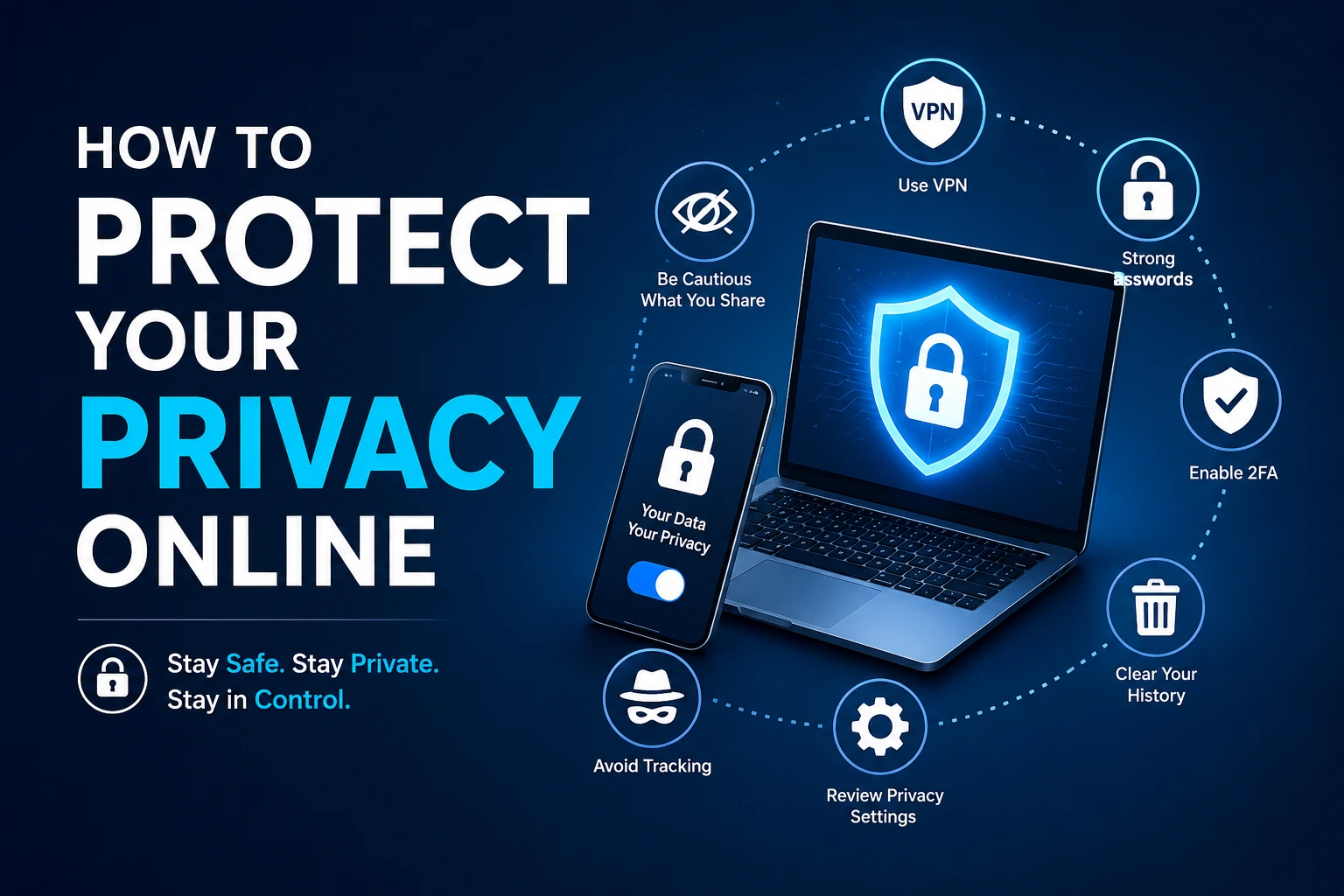
Use Strong Passwords for Every Account
Simple passwords are still being used by many people, or they are using the same passwords for multiple accounts. This poses a serious security threat.
When one site is compromised, the attackers might attempt to access other sites with the same password. This is called credential stuffing and is one of the most common methods of account compromise.
Each account should have a different password, which will make it difficult for an attacker to break into one without the other. You don’t need to remember all different passwords, which can be generated and stored securely by a password manager.
A long pass phrase, composed of random words, is easier to remember than a short one that’s stuffed with symbols.
Turn On Multi-Factor Authentication
Even a strong password can be stolen at times. That’s why using multi-factor authentication is an important additional layer of security.
If you enable it, you will have to go through some sort of secondary step of authentication before accessing your account. This could be a code from an authentication app, a security key, or a temporary login code.
This feature is now available on most major platforms, including email, social media, cloud storage and banking applications.
Even if someone gets your password, they won’t be able to log in to your account without the second verification step.
Be Careful About What You Share Online
Over sharing is one of the major issues with privacy problems.
Often people will disclose information about themselves without being aware of the amount of information they are providing to strangers. You can create a profile of information about you, including birthdays, addresses, vacations, family information, and workplace information.
Think twice before putting information out there for the world to see that could be used in another way by a stranger.
The less personal data that is online, the smaller your footprint is.
Understand How Websites Track You
Can you recall ever looking something up and seeing the same commercial for that product all over the internet?
This is because websites and advertisers employ tracking technologies to track user actions. The cookies, pixels and other tracking tools gather data on your browsing patterns.
Some tracking is necessary for websites to enhance the user experience, but too much tracking can intrude and diminish user privacy.
Practicing the measures listed below can help limit information collected about you: Delete cookies regularly, stop third-party cookies, and check privacy settings in your browser.
Choose Privacy-Focused Browsing Tools
Your everyday tools can make a big difference in your privacy.
The internet has some browsers and search engines that store vast quantities of user data to aid ad systems. Others focus on privacy, and try to collect as little information as possible.
To minimize online tracking and give control over what you do on the Internet, you can use the alternatives that focus on privacy.
While they are not 100% anonymous, these tools will certainly help to reduce the amount of personal information that is shared with advertisers and data brokers.
Protect Yourself on Public Wi-Fi
Public WiFi hotspots can be helpful, but there are security concerns.
Internet access may not be well protected in coffee shops, airports, hotels, and other public areas. This makes it easier for hackers to see what’s going on in the network.
If possible, do not log on to sensitive accounts via public Wi-Fi. When you have to use a public network, a VPN can help protect the security of your internet connection and help others not be able to see what you’re doing.
Safe surfing practices are even more critical when surfing on shared networks.
Keep Your Devices and Software Updated
There are a number of vulnerabilities in software that are common targets for cyberattacks.
Technology companies continually issue updates to address security vulnerabilities and enhance security against new threats. These updates may leave your devices vulnerable if you delay them.
One of the simplest ways to enhance security is to get automatic updates. Routine updating of your operating system, browser, apps and security software can minimize the risk of being exploited.
Even if it might seem like a nuisance, changes are not made without value and they can help keep personal information safe and secure.
Learn to Recognize Phishing Scams
Phishing is one of the top threats to online security.
Scammers develop electronic mails, text messages and blog sites to deceive individuals into disclosing personal details. Usually, these messages seem genuine but can be fake or look like messages from trusted companies.
Take extra time to verify emails that are urgent, that ask for login information, or financial information.
Many phishing attacks can be avoided by paying attention to the URLs of websites and avoiding suspicious URLs.
Manage Your Digital Footprint
Phishing is one of the top threats to online security.
Scammers develop electronic mails, text messages and blog sites to deceive individuals into disclosing personal details. Usually, these messages seem genuine but can be fake or look like messages from trusted companies.
Take extra time to verify emails that are urgent, that ask for login information, or financial information.
Many phishing attacks can be avoided by paying attention to the URLs of websites and avoiding suspicious URLs.
Conclusion
People are generally unaware of the amount of information about them in the internet.
Any old social media profiles, public records, discussion forums profiles, or data broker listings can all be a part of your online presence.
Periodic searches of your name may be able to establish information that is public. You might find that there are accounts that are out of date, personal information or content you’re no longer interested in having linked to your name.
Frequently Asked Questions
What is online privacy?
On-line privacy is the right to control the gathering, storage and sharing of personally identifiable information within the context of on-line communication.
Why is online privacy important?
Helps protect sensitive information from hackers, scammers, advertisers and unauthorized third parties.
Can a VPN improve online privacy?
Yes. VPN helps to protect your activity from others who might be monitoring it and helps to protect your internet traffic from being monitored and hacked on some networks.
How can I reduce online tracking?
To minimize tracking, change your browser settings, limit cookies, avoid using trackers, and regularly check app permissions.
What is a digital footprint?
A digital footprint is a body of information that develops from your Internet experiences, whether you are browsing the Web, searching, posting on social media, or engaging in other online activities.
Is private browsing completely anonymous?
No, private browsing does not hide your browsing behavior from websites, internet providers or network administrators, but it does prevent them from storing the history of your browsing.
How often should I update my passwords?
Security professionals all agree to change passwords as soon as possible after a security incident and to continually examine account security practices.
What is the biggest threat to online privacy?
The most prevalent threats to internet privacy are phishing, data leakage, over tracking and poor account security.